




Interactive Kiosks & Smart Displays
Turn Physical Touchpoints into Intelligent Customer Experiences. Connect People, Places, Services, Data and AI.
A kiosk should no longer be viewed simply as a touchscreen placed in a lobby.
A modern Interactive Kiosk or Smart Display can become a connected customer-service point, product-discovery platform, digital concierge, wayfinding system, self-service terminal, interactive brand experience, event information center, intelligent retail interface, or gateway between a physical location and the organization's wider digital ecosystem.
At Brand Messenger, our Interactive Kiosks & Smart Displays service combines Smart Kiosks, Interactive Touch Displays, Digital Wayfinding, Experience Centers, Conversational AI, customer data, Digital Experience Platforms, interactive content, spatial experiences, analytics and physical-space intelligence to create intelligent experiences for customers, visitors, employees and audiences.
For suitable environments, the service can integrate with Face Signatures by Messenger2050 Technologies, providing an additional physical-space intelligence and authorized identity layer where appropriate.
Our four core capabilities are:
⦁ Smart Kiosks
⦁ Interactive Touch Displays
⦁ Digital Wayfinding
⦁ Experience Centers
Our wider capabilities can extend across AI kiosks, self-service, digital concierge experiences, product discovery, visitor management, interactive directories, event kiosks, retail kiosks, intelligent information points, check-in experiences, queue support, conversational interfaces, smart buildings, exhibitions, corporate experience centers and connected physical-digital customer journeys.
The Brand Messenger approach connects:
Person → Physical Location → Smart Interface → Interaction → Intelligence → Digital Service → Business System → Outcome → Analytics → Continuous Improvement
Make Every Physical Touchpoint Smarter. Make Every Screen Interactive. Connect Every Experience.
What Are Interactive Kiosks & Smart Displays?
Interactive Kiosks and Smart Displays are connected digital interfaces positioned within physical environments to help people access information, services, products, directions, experiences or assistance.
A conventional display communicates:
Screen → Person
An interactive kiosk creates:
Person ↔ Screen
An intelligent kiosk can extend this further:
Person ↔ Smart Interface ↔ AI / Data / Enterprise Systems
And in appropriate environments, physical-space intelligence can add another layer:
Environment → Face Signatures / Sensors → Contextual Intelligence → Smart Experience
The result is not simply a screen.
It is a physical-digital experience point.
Brand Messenger Interactive Kiosk & Smart Display Services
Our capabilities can include:
⦁ Smart Kiosk Strategy
⦁ Interactive Kiosk Design
⦁ AI-Powered Kiosks
⦁ Self-Service Kiosks
⦁ Customer-Service Kiosks
⦁ Information Kiosks
⦁ Digital Concierge Kiosks
⦁ Retail Kiosks
⦁ Product Discovery Kiosks
⦁ Interactive Touch Displays
⦁ Multi-Touch Experiences
⦁ Interactive Product Displays
⦁ Digital Directories
⦁ Digital Wayfinding
⦁ Interactive Maps
⦁ Visitor Navigation
⦁ Building Directories
⦁ Event Wayfinding
⦁ Smart Building Interfaces
⦁ Experience Centers
⦁ Customer Experience Centers
⦁ Brand Experience Centers
⦁ Corporate Experience Centers
⦁ Innovation Centers
⦁ Interactive Showrooms
⦁ Digital Showrooms
⦁ Exhibition Kiosks
⦁ Event Kiosks
⦁ Registration & Check-In Interfaces
⦁ Interactive Product Catalogues
⦁ 3D Product Visualization
⦁ Digital Twin Displays
⦁ XR-Connected Kiosks
⦁ Conversational AI Kiosks
⦁ AI Customer Assistants
⦁ Voice-Enabled Kiosks
⦁ Multilingual Experiences
⦁ QR & Mobile Continuation
⦁ CRM Integration
⦁ CDP Integration
⦁ DXP Integration
⦁ E-Commerce Integration
⦁ Appointment & Booking Integration
⦁ Ticketing Integration
⦁ Helpdesk Integration
⦁ Analytics & BI
⦁ Face Signatures Integration
⦁ Visitor & Audience Intelligence
⦁ Content Management
⦁ Remote Screen Management
⦁ Enterprise Kiosk Architecture
⦁ Security & Privacy Design
Smart Kiosks
Transform Self-Service into Intelligent Service
Smart Kiosks can help people complete tasks independently while remaining connected with the organization's wider systems.
Potential applications include:
⦁ Information
⦁ Product Discovery
⦁ Registration
⦁ Check-In
⦁ Appointment Booking
⦁ Ticketing
⦁ Ordering
⦁ Customer Assistance
⦁ Wayfinding
⦁ Service Requests
⦁ Lead Generation
⦁ Visitor Management
⦁ Feedback
⦁ Digital Forms
The journey can become:
Approach → Identify Need → Interact → Complete Task → Receive Confirmation → Continue Journey
AI-Powered Smart Kiosks
Move Beyond Fixed Menus
Traditional kiosks usually require users to navigate predetermined menus.
AI can introduce a more conversational and adaptive interface.
Instead of:
Home → Menu → Category → Subcategory → Search → Result
the visitor may simply ask:
⦁ “Where is the conference hall?”
⦁ “Show me this product.”
⦁ “Where can I find customer service?”
⦁ “I have an appointment. Where should I go?”
“Which product is suitable for my requirements?”
The architecture can become:
Customer → Kiosk → Conversational AI → Approved Knowledge / Connected System → Response → Action
This connects directly with Brand Messenger's Conversational AI Experiences capabilities.
AI Customer Assistants for Kiosks
A Smart Kiosk can host an AI Customer Assistant designed around approved organizational information.
Potential functions can include:
⦁ Answer Questions
⦁ Search Information
⦁ Find Products
⦁ Provide Directions
⦁ Explain Services
⦁ Guide Registration
⦁ Support Bookings
⦁ Recommend Relevant Content
⦁ Escalate to Human Assistance
The objective is to make interaction easier without pretending that AI is a human employee.
Voice-Enabled Kiosks
Where appropriate for the environment, kiosks can support voice interaction.
This may be useful where:
⦁ Hands-Free Interaction Is Helpful
⦁ Accessibility Benefits from Voice
⦁ Complex Questions Are Easier to Speak
⦁ Conversational Assistance Is Central to the Experience
Public environments require careful consideration of noise, privacy and speech-recognition limitations.
Multilingual Smart Kiosks
International environments may need to serve audiences speaking multiple languages.
Applications can include:
⦁ Airports
⦁ Hotels
⦁ Tourism
⦁ Exhibitions
⦁ Hospitals
⦁ Government Facilities
⦁ International Corporate Offices
⦁ Shopping Centers
The experience can begin with:
Choose Language → Continue Experience
AI-assisted multilingual capabilities can extend this further, but important customer-facing translations should be appropriately reviewed.
Self-Service Kiosks
Give Customers Control Over Routine Tasks
Self-service kiosks can support appropriate processes such as:
⦁ Check-In
⦁ Registration
⦁ Ticket Collection
⦁ Appointment Confirmation
⦁ Product Search
⦁ Information Requests
⦁ Ordering
⦁ Queue Registration
⦁ Feedback
The principle should be:
Self-Service When Convenient. Human Support When Needed.
Automation should make service easier—not make customers struggle to reach a person.
Human Assistance & Escalation
A smart kiosk can provide a route to human support when the automated experience cannot resolve the request.
The journey can become:
Self-Service → AI Assistance → Unresolved Need → Human Support
Potential escalation methods can include:
⦁ Call Staff
⦁ Live Chat
⦁ Video Assistance
⦁ Helpdesk Ticket
⦁ Appointment
⦁ Customer-Service Desk Directions
This creates a hybrid service model.
Smart Kiosks + Face Signatures
Connect the Interactive Experience with Physical-Space Intelligence
For appropriate environments, Brand Messenger can integrate Smart Kiosks with Face Signatures by Messenger2050 Technologies.
Face Signatures can provide an additional intelligence layer around physical-space activity and, where specifically authorized and appropriate, identity-related applications.
The broader architecture can become:
Physical Environment
↓
Appropriate Camera / Sensor Sources
↓
Face Signatures Technology
↓
Visitor / Behavioral Intelligence
↓
Smart Kiosk / Experience Platform
↓
Customer Interaction
↓
Brand Messenger Analytics & Business Systems
This can create a more connected relationship between the physical environment and the digital interface.
Face Signatures Visitor Intelligence
Appropriate Face Signatures capabilities may contribute signals around:
⦁ Visitor Traffic
⦁ People Analytics
⦁ Movement Patterns
⦁ Repeat-Visit Trends
⦁ Crowd Activity
⦁ Time-Based Activity
⦁ Visitor Flow
⦁ Engagement Areas
These signals can help organizations understand how kiosk and display environments are being used.
For many applications, aggregated analytics can provide useful intelligence without requiring individual identification.
Authorized Identity Experiences
In carefully governed environments where identity verification is genuinely required and legally appropriate, Face Signatures technology may support authorized identity-related workflows.
Potential examples could include suitable:
⦁ Controlled Check-In
⦁ Registered Visitor Recognition
⦁ Authorized Access Workflows
⦁ Member Experiences
However:
Technical capability does not automatically make identity recognition appropriate for every kiosk.
Any facial or biometric identification should be evaluated against applicable law, necessity, proportionality, consent or other lawful authority, notice, security, retention, access control and governance.
Personalized Kiosk Experiences
Where a customer intentionally authenticates through an approved method, a kiosk can potentially provide a more relevant experience.
Authentication might involve appropriate methods such as:
⦁ Account Login
⦁ QR Code
⦁ Membership Credential
⦁ Booking Reference
⦁ Approved Identity Verification
The journey can become:
Authenticate → Retrieve Authorized Context → Personalized Experience → Complete Task → Secure Session End
Public kiosks should automatically clear sensitive session information after use.
Interactive Touch Displays
Let Customers Explore Instead of Simply Watch
Interactive Touch Displays transform digital content into an interface.
Customers can:
⦁ Browse
⦁ Search
⦁ Compare
⦁ Configure
⦁ Explore
⦁ Navigate
⦁ Select
⦁ Request
⦁ Register
The journey becomes:
See → Touch → Explore → Understand → Decide → Act
Interactive Product Discovery
Retail and showroom displays can allow customers to explore:
⦁ Product Categories
⦁ Product Features
⦁ Specifications
⦁ Images
⦁ Videos
⦁ 3D Models
⦁ Variants
⦁ Related Products
⦁ Availability
⦁ Pricing where integrated
This extends the physical product environment with a much larger digital information layer.
Interactive Product Comparison
Customers can compare:
Product A ↔ Product B ↔ Product C
across approved attributes such as:
⦁ Features
⦁ Models
⦁ Options
⦁ Specifications
⦁ Pricing
⦁ Availability
This can be particularly useful for:
⦁ Automotive
⦁ Electronics
⦁ Appliances
⦁ Industrial Products
⦁ Telecommunications
⦁ Financial Products
⦁ Property
Interactive Product Configuration
Smart displays can support appropriate product configuration.
Potential selections can include:
⦁ Model
⦁ Color
⦁ Material
⦁ Finish
⦁ Accessories
⦁ Features
⦁ Package
The journey becomes:
Explore → Configure → Visualize → Compare → Save / Purchase / Request Quote
3D Product Experiences
Make Complex Products Easier to Understand
Brand Messenger can integrate interactive 3D visualization into kiosk experiences.
Users may be able to:
⦁ Rotate
⦁ Zoom
⦁ Explore
⦁ View Components
⦁ Trigger Animations
⦁ Examine Internal Systems
This can be particularly powerful for:
⦁ Automotive
⦁ Real Estate
⦁ Industrial Machinery
⦁ Engineering
⦁ Technology
⦁ Consumer Electronics
Interactive Industrial Displays
Large machines cannot always be transported to exhibitions or sales centers.
An interactive display can digitally demonstrate:
Complete Machine → Components → Internal Systems → Operation → Process → Technical Information
This can connect with wider Messenger2050 industrial visualization and animation capabilities.
Digital Wayfinding
Help People Find the Right Place Faster
Large physical environments can be difficult to navigate.
Brand Messenger Digital Wayfinding can provide interactive navigation for:
⦁ Shopping Centers
⦁ Airports
⦁ Hospitals
⦁ Universities
⦁ Hotels
⦁ Resorts
⦁ Corporate Campuses
⦁ Government Buildings
⦁ Exhibitions
⦁ Conferences
⦁ Entertainment Venues
⦁ Mixed-Use Developments
The basic experience becomes:
You Are Here → Search Destination → Route → Navigate
Interactive Maps
Users can search for:
⦁ Store
⦁ Office
⦁ Room
⦁ Booth
⦁ Department
⦁ Restaurant
⦁ Facility
⦁ Service
⦁ Attraction
The map can then display an appropriate route.
Shopping Center Wayfinding
A shopping center kiosk can combine:
⦁ Store Directory
⦁ Categories
⦁ Interactive Map
⦁ Promotions
⦁ Restaurants
⦁ Events
⦁ Facilities
⦁ Parking Information where integrated
The journey can become:
Search Store → View Location → Route → Continue on Mobile
Hospital Wayfinding
Hospitals can use digital wayfinding to help visitors locate:
⦁ Departments
⦁ Clinics
⦁ Reception
⦁ Laboratories
⦁ Pharmacies
⦁ Facilities
Healthcare environments require particular attention to accessibility, clarity and privacy.
Clinical or patient-specific information should not be exposed through public displays without appropriate authorization and safeguards.
Airport & Transportation Wayfinding
Interactive kiosks can help travelers locate:
⦁ Gates
⦁ Check-In Areas
⦁ Facilities
⦁ Lounges
⦁ Restaurants
⦁ Transport Connections
⦁ Services
Where integrated with operational systems, appropriate current information can also be displayed.
Event Wayfinding
At conferences, exhibitions and festivals, wayfinding can connect:
Entrance → Registration → Stage → Session → Booth → Networking → Exit
The system can also present:
⦁ Agenda
⦁ Exhibitors
⦁ Speakers
⦁ Sponsors
⦁ Venue Information
This connects directly with Brand Messenger's wider Event & Experiential capabilities.
Exhibition Wayfinding
Large exhibitions can be difficult to navigate.
An interactive kiosk can allow visitors to search:
Company → Booth → Hall → Route
or:
Product Category → Relevant Exhibitors
This can improve visitor experience and potentially create useful aggregated event intelligence.
Mobile-Connected Wayfinding
Take the Route with You
A visitor should not necessarily need to remember the route displayed on a public kiosk.
Brand Messenger can design experiences where appropriate directions continue to a personal device through mechanisms such as:
⦁ QR Code
⦁ Mobile Web
⦁ App
⦁ Digital Link
The journey becomes:
Kiosk → Find Destination → Scan → Continue on Mobile
This creates continuity between public and personal digital experiences.
Smart Building Interfaces
Kiosks and smart displays can become interfaces for intelligent buildings.
Potential information can include:
⦁ Building Directory
⦁ Rooms
⦁ Facilities
⦁ Events
⦁ Visitor Information
⦁ Wayfinding
⦁ Service Information
Where appropriate integrations exist, the interface may also connect with building-management or visitor-management systems.
Experience Centers
Turn a Physical Space into an Interactive Brand, Product and Technology Environment
An Experience Center is more than a room containing screens.
It is a designed physical-digital environment where customers, investors, partners, employees or other stakeholders can understand an organization through interaction.
Brand Messenger can create Experience Center strategies combining:
⦁ Interactive Kiosks
⦁ Smart Displays
⦁ Video Walls
⦁ Touch Tables
⦁ Digital Twins
⦁ 3D Visualization
⦁ XR
⦁ Projection Mapping
⦁ Holographic Experiences
⦁ Conversational AI
⦁ Data Visualization
⦁ Physical Products
⦁ Spatial Storytelling
The result becomes:
Space + Story + Technology + Interaction = Experience Center
Brand Experience Centers
A Brand Experience Center can communicate:
Who We Are
↓
What We Believe
↓
What We Create
↓
How Our Products Work
↓
What Makes Us Different
↓
Where We Are Going
Visitors move through the brand rather than simply reading about it.
Corporate Experience Centers
Large organizations can use interactive environments for:
⦁ Customer Presentations
⦁ Investor Presentations
⦁ Partner Meetings
⦁ Employee Engagement
⦁ Corporate Storytelling
⦁ Product Demonstrations
⦁ Innovation Showcases
The environment can become a permanent physical representation of the organization.
Innovation Centers
Technology organizations can create spaces demonstrating:
⦁ AI
⦁ Software
⦁ Products
⦁ Research
⦁ Digital Twins
⦁ XR
⦁ Smart Technology
⦁ Future Concepts
Interactive displays help make complex technology understandable.
Customer Experience Centers
Customer Experience Centers can allow visitors to:
⦁ Explore Products
⦁ Experience Services
⦁ Compare Solutions
⦁ Interact with Technology
⦁ Ask Questions
⦁ View Demonstrations
⦁ Meet Specialists
⦁ Request Follow-Up
This can be particularly valuable for complex B2B and enterprise sales.
Product Experience Centers
Instead of presenting products through brochures, organizations can build interactive product environments.
The journey can become:
Discover → Explore → Interact → Compare → Demonstrate → Discuss → Convert
Interactive Showrooms
Brand Messenger can develop smart showroom concepts combining:
⦁ Physical Products
⦁ Interactive Displays
⦁ Product Configuration
⦁ 3D Visualization
⦁ AI Assistance
⦁ Customer Data
⦁ CRM
⦁ Commerce
The showroom becomes a connected sales environment.
Automotive Experience Centers
Automotive environments can combine:
⦁ Physical Vehicles
⦁ Interactive Configurators
⦁ 3D Vehicle Models
⦁ Feature Demonstrations
⦁ Touch Displays
⦁ XR
⦁ Smart Kiosks
⦁ Booking
A customer journey can become:
Discover → Configure → Explore → Compare → Book Test Drive → CRM
Real Estate Experience Centers
Property developers can combine:
⦁ Interactive Masterplans
⦁ Digital Unit Selection
⦁ 3D Floorplans
⦁ Architectural Visualization
⦁ Virtual Tours
⦁ Availability
⦁ Digital Wayfinding
⦁ XR
The experience can move from:
Development → Building → Floor → Unit → Interior → Inquiry
Retail Experience Centers
Retail brands can create flagship environments combining:
⦁ Products
⦁ Smart Screens
⦁ Interactive Catalogues
⦁ AI Assistants
⦁ XR
⦁ Digital Displays
⦁ Commerce
The objective is to blend physical product experience with digital depth.
Industrial Experience Centers
Industrial and engineering companies can use interactive environments to demonstrate:
⦁ Machinery
⦁ Production Systems
⦁ Internal Components
⦁ Industrial Processes
⦁ Digital Twins
⦁ Technical Data
⦁ Product Advantages
A large factory or machine can effectively be brought into a customer experience center digitally.
Government & Public Experience Centers
Government organizations can use interactive experience environments for appropriate:
⦁ Public Information
⦁ City Planning
⦁ Infrastructure Visualization
⦁ Public Projects
⦁ Digital Government Services
⦁ Smart-City Demonstrations
For advanced government technology environments, Brand Messenger can connect suitable experiences with SAFE AI by Messenger2050 Technologies.
SAFE AI Experience Centers
Visualize the Intelligent City and Government Environment
A SAFE AI Experience Center could help authorized government stakeholders understand how individual SAFE AI technologies connect across:
⦁ City Command
⦁ Public Safety
⦁ Mobility
⦁ Emergency Response
⦁ Infrastructure
⦁ Environment
⦁ Public Health
⦁ Citizen Services
⦁ Government Decision Intelligence
The experience environment might combine:
⦁ City Digital Twin
⦁ Interactive Smart Displays
⦁ SAFE AI Dashboards
⦁ Spatial Visualization
⦁ XR
⦁ Conversational Interfaces
This can make complex government technology easier to explore and demonstrate.
Sensitive operational information should remain separated from public or demonstration environments.
Experience Centers + Digital Twins
Digital Twins can become one of the central interactive components of an Experience Center.
Visitors may explore:
Retail
Stores • Customer Flow • Products
Manufacturing
Factories • Machines • Processes
Real Estate
Buildings • Developments • Communities
Smart Cities
Roads • Infrastructure • Services
The architecture becomes:
Physical Environment → Digital Twin → Interactive Display → Human Exploration
Experience Centers + XR
Extended Reality can add another layer.
A visitor might:
Explore on Touch Display
↓
Enter Through VR
↓
View Through AR
↓
Interact Through MR
This creates continuity between screen-based and immersive experiences.
Experience Centers + Holographic Experiences
Products, buildings, machines or data can be presented through appropriate holographic-style display technologies.
Potential applications include:
⦁ Product Visualization
⦁ Digital Characters
⦁ Building Models
⦁ Machinery
⦁ Data Visualization
⦁ Smart-City Models
This can create premium focal points within the Experience Center.
Experience Centers + Projection Mapping
Walls, floors, objects and architectural surfaces can become part of the experience.
Brand Messenger can connect:
Smart Displays + Projection Mapping + Interactive Projection + Holographic Experiences + XR
into one spatial technology environment.
Experience Centers + Conversational AI
Let Visitors Ask the Experience Center Questions
Instead of requiring visitors to navigate every screen manually, an AI assistant can provide an additional conversational interface.
A visitor might ask:
⦁ “Show me your manufacturing solutions.”
⦁ “How does this machine operate?”
⦁ “Show me this development.”
⦁ “What does this technology do?”
The architecture becomes:
Visitor → Conversational AI → Approved Knowledge → Interactive Display / Relevant Experience
This can create a more natural exploration environment.

Experience Centers + AI Digital Characters
A digital character may act as:
⦁ Host
⦁ Guide
⦁ Product Specialist
⦁ Brand Storyteller
⦁ Information Assistant
When combined with Conversational AI, the character can respond dynamically within approved knowledge and business rules.
Interactive Kiosks + DXP
Make the Kiosk Part of the Enterprise Digital Experience
Brand Messenger can connect kiosks with a Digital Experience Platform (DXP).
The ecosystem can become:
Website + Mobile + Customer Portal + Smart Kiosk + Interactive Display
↓
Connected Experience Platform
This can support more consistent:
⦁ Content
⦁ Brand
⦁ Customer Journeys
⦁ Personalization
⦁ Analytics
across physical and digital channels.
Interactive Kiosks + CRM
A kiosk can become part of the customer relationship journey.
For example:
Visitor → Product Exploration → Request Information → CRM → Sales Follow-Up
or:
Customer → Service Kiosk → Request → Customer Record → Service Team
Individual data should only be connected where the customer has appropriately authenticated or provided the necessary information and permissions.
Interactive Kiosks + CDP
Appropriate interaction signals can potentially connect with a Customer Data Platform.
The architecture may become:
Kiosk Interaction → CDP → Customer / Audience Intelligence → Journey
For anonymous public interactions, aggregated analytics may often be sufficient.
Interactive Kiosks + Marketing Automation
A customer can intentionally continue the relationship after interacting with a kiosk.
For example:
Product Kiosk → Customer Requests Information → CRM → Marketing Automation → Relevant Follow-Up
This turns a physical interaction into part of the wider marketing journey.
Interactive Kiosks + Omnichannel Marketing
The kiosk can become another channel within:
Website + App + Email + SMS + WhatsApp + Social + Physical Kiosk
The customer may begin on one channel and continue on another.
Interactive Kiosks + E-Commerce
Connect Physical Discovery with Digital Commerce
A customer may discover a product physically and purchase digitally.
The journey can become:
Store → Interactive Kiosk → Product → Configure → Add to Cart → Purchase / Continue on Mobile
This can support extended product ranges beyond what is physically stocked.
Endless-Aisle Experiences
Retailers can use kiosks to make a wider catalogue available inside the store.
For example:
Physical Store Inventory
Digital Product Catalogue
=
Extended Customer Choice
Where integrated with inventory and commerce systems, customers can explore products unavailable at that specific location.
Interactive Kiosks + Booking
Kiosks can potentially connect with booking systems for:
⦁ Appointments
⦁ Consultations
⦁ Test Drives
⦁ Property Viewings
⦁ Event Sessions
⦁ Services
The journey becomes:
Discover → Select → Book → Confirmation
Interactive Kiosks + Ticketing
Appropriate event, entertainment or transportation environments may use kiosks for:
⦁ Ticket Search
⦁ Ticket Purchase
⦁ Collection
⦁ Registration
⦁ Check-In
Payment and ticketing functions require appropriate secure integrations.
Interactive Kiosks + Helpdesk
A kiosk can connect with customer-support infrastructure.
The customer may:
Search Help → Ask AI → Submit Request → Create Ticket → Receive Reference
This connects physical customer service with the organization's wider helpdesk environment.
Interactive Kiosks + Digital Signage
Smart Kiosks and Interactive Digital Signage can work together.
The distinction is useful:
Digital Signage
Primarily attracts, communicates and informs.
Interactive Kiosk
Primarily enables deeper interaction and task completion.
The combined journey can become:
Large Digital Display → Customer Interest → Interactive Kiosk → Action
Interactive Kiosks + DOOH
A DOOH campaign can direct customers toward an interactive experience.
For example:
Digital Billboard → Retail Location → Smart Kiosk → Product Experience → Conversion
This connects Brand Messenger's AdTech, DOOH and physical customer-experience capabilities.
Interactive Kiosks + AI Marketing Intelligence
Brand Messenger can connect appropriate interaction data with AI Marketing Intelligence.
Potential signals can include:
⦁ Kiosk Sessions
⦁ Product Views
⦁ Searches
⦁ Interaction Paths
⦁ Locations
⦁ Time
⦁ Completed Actions
⦁ QR Continuations
⦁ Leads
⦁ Conversions where reliably connected
The cycle becomes:
Physical Interaction → Data → Marketing Intelligence → Insight → Experience Optimization
Face Signatures + AI Marketing Intelligence + Kiosks
For appropriate physical environments, the broader intelligence architecture can become:
Visitor Traffic
Aggregated Face Signatures / Physical-Space Intelligence
Kiosk Interaction
CRM / Transaction Data where appropriately connected
↓
Brand Messenger AI Marketing Intelligence
↓
Customer / Audience Understanding
↓
Experience Optimization
This can help organizations understand both:
How people move through the physical environment
and
How they interact with the digital experience.
Visitor-to-Kiosk Journey Intelligence
For example:
Entrance → Display → Product Zone → Kiosk → Product Search → QR → Mobile
Aggregated journey analysis can help answer:
⦁ Where are kiosks most useful?
⦁ Which locations generate more interaction?
⦁ Which products receive interest?
⦁ At what times does usage increase?
⦁ Where do visitors abandon the experience?
This can support physical experience optimization.
Smart Kiosk Personalization
Personalization can be based on appropriate signals such as:
⦁ Selected Language
⦁ Selected Location
⦁ Customer Login
⦁ Membership
⦁ Previous Authenticated Preferences
⦁ Customer-Selected Interests
⦁ Context
The principle should be:
Personalize with Purpose not Simply Because Data Is Available.
AI Recommendations on Kiosks
AI can potentially recommend:
⦁ Products
⦁ Content
⦁ Services
⦁ Routes
⦁ Relevant Information
Recommendations should operate within:
⦁ Approved Product Data
⦁ Business Rules
⦁ Availability
⦁ Customer Context
⦁ Appropriate Governance
AI recommendations should not be represented as guaranteed best choices.
Smart Kiosk Analytics
Brand Messenger can develop analytics around:
Usage
Sessions • Users / Estimated Traffic • Frequency
Interaction
Touches • Searches • Navigation
Content
Products • Services • Information Viewed
Journey
Entry • Path • Completion • Drop-Off
Action
QR • Lead • Booking • Purchase where connected
Location
Kiosk • Store • Venue • Region
Operations
Online Status • Errors • Availability
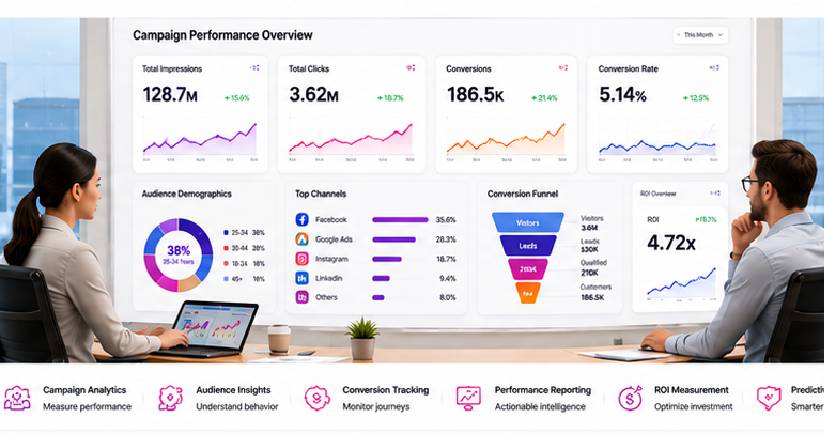
Kiosk Performance Dashboard
A Brand Messenger dashboard can answer:
Which kiosks are being used?
Which locations perform best?
What are visitors searching for?
Which products receive attention?
Where are users dropping off?
Which kiosks are offline?
Which interactions create business actions?
This turns kiosk management into a measurable enterprise capability.
Experience Center Analytics
Experience Centers can also measure appropriate:
⦁ Visitor Traffic
⦁ Experience Usage
⦁ Interactive Zones
⦁ Content Engagement
⦁ Product Interest
⦁ Demonstration Activity
⦁ Lead Generation
⦁ Follow-Up
This helps organizations understand how their physical innovation spaces perform.
Face Signatures + Experience Center Intelligence
For suitable deployments, Face Signatures can provide an additional analytics layer around:
⦁ Visitor Traffic
⦁ Movement Patterns
⦁ Zone Activity
⦁ Crowd Flow
⦁ Repeat-Visit Trends
⦁ Engagement Areas
This can complement direct interaction data from kiosks and displays.
Again, aggregated analytics should be preferred where individual identity is unnecessary.
Smart Kiosks + Digital Twins
A Digital Twin can provide spatial context around kiosk deployment.
For example:
Shopping Center Digital Twin → Visitor Flow → Kiosk Locations → Kiosk Usage
or:
Event Digital Twin → Audience Movement → Information Kiosks → Interaction
This can help organizations determine whether kiosks are positioned effectively.
Smart Kiosks + IoT
IoT and connected environmental systems can contribute contextual information to smart interfaces.
For example:
Building System → Room Availability → Kiosk
or:
Operational System → Current Status → Display
The kiosk becomes part of a wider connected environment.
Interactive Kiosks for Retail
Retail applications can include:
⦁ Product Discovery
⦁ Endless Aisle
⦁ Product Comparison
⦁ Product Configuration
⦁ Loyalty
⦁ Wayfinding
⦁ Promotions
⦁ Ordering
⦁ Customer Assistance
The journey becomes:
Store → Explore → Compare → Decide → Purchase / Continue Digitally
Interactive Kiosks for Shopping Centers
Shopping centers can combine:
⦁ Directory
⦁ Wayfinding
⦁ Stores
⦁ Promotions
⦁ Events
⦁ Restaurants
⦁ Customer Service
⦁ Advertising
The kiosk becomes a central interface to the destination.
Interactive Kiosks for Events
Event kiosks can support:
⦁ Registration
⦁ Check-In
⦁ Agenda
⦁ Speakers
⦁ Exhibitors
⦁ Wayfinding
⦁ Sponsor Content
⦁ Session Discovery
⦁ Customer Assistance
This can connect with Brand Messenger's wider event technology ecosystem.
Interactive Kiosks for Exhibitions
Exhibition kiosks can support:
⦁ Product Discovery
⦁ Technical Demonstrations
⦁ Lead Capture
⦁ Booth Navigation
⦁ Company Information
⦁ 3D Visualization
⦁ AI Assistance
This can make a limited physical booth significantly richer in content.
Interactive Kiosks for Hospitality
Hotels and resorts can use kiosks for:
⦁ Property Information
⦁ Wayfinding
⦁ Restaurants
⦁ Activities
⦁ Events
⦁ Guest Information
⦁ Concierge Assistance
⦁ Appropriate Self-Service
This can connect with mobile and customer-service experiences.
Interactive Kiosks for Tourism
Tourism environments can provide:
⦁ Destination Information
⦁ Attractions
⦁ Maps
⦁ Routes
⦁ Events
⦁ Hotels
⦁ Transport
⦁ Multilingual Assistance
The kiosk can act as a digital visitor-information point.
Interactive Kiosks for Corporate Environments
Corporate kiosks and displays can support:
⦁ Visitor Information
⦁ Directories
⦁ Wayfinding
⦁ Meetings
⦁ Company Information
⦁ Brand Content
⦁ Experience Centers
⦁ Employee Information
Visitor and employee information should be handled according to appropriate access and privacy controls.
Interactive Kiosks for Healthcare
Healthcare applications can include:
⦁ Wayfinding
⦁ Check-In where appropriately integrated
⦁ Information
⦁ Queue Guidance
⦁ Facility Navigation
Healthcare deployments require strong privacy, accessibility, security and regulatory consideration.
Interactive Kiosks for Education
Universities and educational environments can use kiosks for:
⦁ Campus Navigation
⦁ Events
⦁ Student Information
⦁ Building Directories
⦁ Visitor Information
Sensitive student information should require appropriate authentication.
Interactive Kiosks for Government
Public-sector applications can include:
⦁ Citizen Information
⦁ Public-Service Navigation
⦁ Government Building Directories
⦁ Appointment Guidance
⦁ Appropriate Self-Service
⦁ Digital Government Information
Government deployments require appropriate accessibility, security, privacy and public-service continuity.
Interactive Kiosks for Smart Cities
Smart-city kiosks can potentially provide:
⦁ City Information
⦁ Tourism
⦁ Transport
⦁ Wayfinding
⦁ Municipal Services
⦁ Public Information
⦁ Emergency Information
⦁ Citizen-Service Connections
Where appropriate, these can connect with selected SAFE AI city and government technologies.
Public interfaces should expose only information authorized for public access.
Interactive Kiosks for Manufacturing
Industrial environments may use interactive displays for:
⦁ Process Information
⦁ Training
⦁ Digital Twins
⦁ Technical Documentation
⦁ Equipment Visualization
⦁ Operational Information
Safety-critical controls should remain within appropriately engineered industrial systems rather than general-purpose kiosks.
Interactive Kiosks for Real Estate
Property sales centers can use kiosks for:
⦁ Masterplans
⦁ Building Selection
⦁ Floor Selection
⦁ Unit Selection
⦁ Floorplans
⦁ 3D Visualization
⦁ Virtual Tours
⦁ Availability
⦁ Inquiry
The customer can explore a development interactively.
Interactive Kiosks for Automotive
Automotive kiosks can provide:
⦁ Vehicle Discovery
⦁ Configuration
⦁ Comparison
⦁ 3D Visualization
⦁ Features
⦁ Test-Drive Booking
⦁ Sales Inquiry
The physical showroom can connect directly with digital product information.
Interactive Kiosks for Financial Services
Banks and financial institutions can use appropriately secured kiosks for:
⦁ Information
⦁ Queue Management
⦁ Appointment Booking
⦁ Product Discovery
⦁ Customer-Service Navigation
Transactions, identity verification and financial data require stronger authentication, security and regulatory controls.
Interactive Kiosks for Entertainment
Cinemas, entertainment venues and attractions can use kiosks for:
⦁ Discovery
⦁ Ticketing
⦁ Maps
⦁ Schedules
⦁ Interactive Content
⦁ Fan Experiences
These can connect with digital signage and immersive experiences.
Kiosk Content Management
Manage Experiences Across Every Location
Enterprise kiosk networks need more than interface design.
Brand Messenger can help structure content management around:
Create → Review → Approve → Publish → Update → Expire → Measure
Content can vary according to:
⦁ Location
⦁ Brand
⦁ Language
⦁ Kiosk Type
⦁ Audience
⦁ Campaign
⦁ Service
Centralized Kiosk Management
Large organizations may manage:
10 Kiosks
100 Kiosks
or potentially much larger networks.
A centralized architecture can support appropriate:
⦁ Content Distribution
⦁ Device Configuration
⦁ Application Updates
⦁ Monitoring
⦁ Analytics
This can reduce dependence on manual on-site management.
Remote Device Monitoring
Organizations can monitor operational conditions such as:
⦁ Online / Offline
⦁ Application Status
⦁ Connectivity
⦁ Display Status
⦁ Errors
⦁ Content Version
This can help teams identify technical problems before they affect large numbers of users.
Kiosk Session Security
Public Devices Require Different Security Thinking
Public kiosks should be designed so one user's session does not expose information to the next user.
Controls can include:
⦁ Automatic Session Reset
⦁ Logout
⦁ Data Clearing
⦁ Restricted Navigation
⦁ Application Lockdown
⦁ Controlled Browser Access
⦁ Timeout
⦁ Secure Authentication
⦁ Role-Based Administration
Sensitive information should not remain visible after a user leaves.
Enterprise Kiosk Security
Security architecture can consider:
⦁ Device Security
⦁ Operating System Hardening
⦁ Application Security
⦁ Network Security
⦁ API Security
⦁ Authentication
⦁ Encryption
⦁ Administrative Access
⦁ Monitoring
⦁ Software Updates
⦁ Physical Device Security
A kiosk is a public-facing technology endpoint and should be treated accordingly.
Privacy by Design
Interactive kiosks can potentially process:
⦁ Contact Details
⦁ Account Information
⦁ Location
⦁ Interaction Data
⦁ Voice
⦁ Images
⦁ Identity Information
Brand Messenger can structure relevant experiences around:
⦁ Data Minimization
⦁ Purpose Limitation
⦁ Appropriate Notice
⦁ Consent where required
⦁ Secure Processing
⦁ Controlled Access
⦁ Retention Controls
⦁ Session Clearing
⦁ Governance
Face Signatures Privacy & Governance
Where Face Signatures is integrated, additional safeguards may be necessary.
These can include:
⦁ Clearly Defined Purpose
⦁ Appropriate Legal Basis
⦁ Consent or Authorization where required
⦁ Data Minimization
⦁ Restricted Access
⦁ Retention Controls
⦁ Security
⦁ Auditability
⦁ Human Oversight
⦁ Appropriate Signage / Notice
⦁ Jurisdiction-Specific Review
The principle is:
Use Identity Only When Identity Is Necessary. Use Aggregated Intelligence When It Is Enough.
Kiosk Accessibility
Interactive experiences should consider people with different physical, visual, hearing and cognitive needs.
Design considerations can include:
⦁ Reach Height
⦁ Touch Target Size
⦁ Font Size
⦁ Contrast
⦁ Clear Language
⦁ Audio Options
⦁ Captions
⦁ Alternative Interaction
⦁ Physical Access
Specific accessibility obligations depend on the jurisdiction and deployment environment.
Experience Center Accessibility
Immersive environments should also provide appropriate alternatives when an experience depends on:
⦁ Touch
⦁ Audio
⦁ XR
⦁ Projection
⦁ Physical Movement
Innovation should increase access—not unnecessarily exclude audiences.
Reliability & Offline Considerations
Some kiosk environments may require limited functionality during connectivity interruptions.
Depending on the use case, architecture can consider:
⦁ Local Content Caching
⦁ Offline Information
⦁ Recovery
⦁ Connection Monitoring
⦁ Backup Workflows
Transactions or data-dependent services may still require connectivity.
Multi-Location Kiosk Networks
Brand Messenger can help organizations establish hierarchies such as:
Enterprise
↓
Country
↓
Region
↓
Location
↓
Individual Kiosk
This allows centralized governance with appropriate local control.
Multi-Brand Kiosk Experiences
Organizations managing several brands can share underlying technology while maintaining separate:
⦁ Branding
⦁ Content
⦁ Products
⦁ Customer Journeys
This connects naturally with Brand Messenger's Brand Architecture capabilities.
Smart Kiosk Governance
Enterprise deployments may define:
⦁ Technology Ownership
⦁ Content Ownership
⦁ Brand Approval
⦁ User Access
⦁ Data Ownership
⦁ AI Rules
⦁ Face Signatures Rules
⦁ Security
⦁ Maintenance
⦁ Analytics
⦁ Device Management
The principle becomes:
Intelligent Experiences with Enterprise Control.
Complete Brand Messenger Interactive Kiosk & Smart Display Process
A comprehensive engagement can follow:
Business / Service Objective
↓
Audience & User Requirements
↓
Physical Environment
↓
Customer / Visitor Journey
↓
Kiosk & Display Strategy
↓
Face Signatures Opportunity Assessment Where Appropriate
↓
Wayfinding / Self-Service / Experience Requirements
↓
Content Architecture
↓
UX / UI Design
↓
Conversational AI Strategy
↓
3D / Interactive Content
↓
Enterprise Integration Architecture
↓
CRM / DXP / Commerce / Booking / Helpdesk Integration
↓
Hardware & Deployment Requirements
↓
Software Development / Configuration
↓
Analytics
↓
Security, Privacy & Accessibility Review
↓
Testing
↓
Physical Deployment
↓
Monitoring
↓
Measurement
↓
Continuous Optimization
The operating lifecycle becomes:
Approach → Interact → Understand → Assist → Navigate → Act → Connect → Measure → Improve
Across the Brand Messenger Smart Physical Experience Ecosystem
Interactive Kiosks & Smart Displays can connect multiple Brand Messenger capabilities:
Brand Strategy
Define the Experience
↓
Experience Design
Design the Journey
↓
AI Creative Studio + Content
Create the Interface & Visual World
↓
Smart Kiosks + Touch Displays
Create the Physical-Digital Touchpoint
↓
Digital Wayfinding
Connect People with Places
↓
Conversational AI
Make the Interface Intelligent
↓
Face Signatures
Add Appropriate Physical-Space Intelligence
↓
Digital Twins + XR
Add Spatial & Immersive Experiences
↓
DXP + CRM + CDP
Connect the Customer
↓
MarTech + Marketing Automation
Continue the Journey
↓
AI Marketing Intelligence
Understand Engagement
↓
Analytics & BI
Measure Performance
The ecosystem becomes:
Person → Place → Screen → Interaction → Intelligence → Service → Experience → Data → Insight → Action
Industries & Environments We Serve
Brand Messenger Interactive Kiosks & Smart Displays can support appropriate applications across:
⦁ Retail
⦁ Shopping Centers
⦁ Supermarkets
⦁ Automotive
⦁ Real Estate
⦁ Property Developments
⦁ Hospitality
⦁ Hotels & Resorts
⦁ Tourism
⦁ Airports
⦁ Transportation
⦁ Events
⦁ Exhibitions
⦁ Conferences
⦁ Entertainment
⦁ Cinemas
⦁ Stadiums
⦁ Corporate Offices
⦁ Corporate Experience Centers
⦁ Innovation Centers
⦁ Technology Companies
⦁ Manufacturing
⦁ Industrial Facilities
⦁ B2B
⦁ Financial Services
⦁ Telecommunications
⦁ Healthcare
⦁ Education
⦁ Universities
⦁ Government
⦁ Public-Sector Facilities
⦁ Smart Cities
⦁ Multi-Location Enterprises
Benefits of Interactive Kiosks & Smart Displays
Brand Messenger can help organizations:
⦁ Transform physical locations into connected digital environments
⦁ Provide intelligent self-service
⦁ Improve customer and visitor navigation
⦁ Create interactive product experiences
⦁ Build digital wayfinding systems
⦁ Deploy conversational AI in physical environments
⦁ Create multilingual digital assistance
⦁ Connect kiosks with CRM and DXP
⦁ Connect physical interactions with digital customer journeys
⦁ Create smart retail experiences
⦁ Extend product catalogues digitally
⦁ Develop interactive showrooms
⦁ Build premium Experience Centers
⦁ Connect Digital Twins with physical interfaces
⦁ Add XR and immersive content
⦁ Integrate appropriate Face Signatures intelligence
⦁ Understand aggregated visitor behavior
⦁ Connect kiosks with marketing intelligence
⦁ Generate leads from physical experiences
⦁ Enable booking and service workflows
⦁ Centralize kiosk content management
⦁ Monitor distributed kiosk networks
⦁ Improve physical-digital customer experience
⦁ Build measurable smart-location experiences
Why Choose Brand Messenger?
Brand Messenger combines Smart Kiosks, Interactive Touch Displays, Digital Wayfinding, Experience Centers, Conversational AI, Digital Experience Platforms, Digital Twins, XR, Holographic & Projection Experiences, Interactive Digital Signage, AI Marketing Intelligence, CRM, CDP, MarTech, AdTech, Analytics and Business Intelligence within one connected physical-digital experience ecosystem.
Through Face Signatures by Messenger2050 Technologies, suitable projects can add another layer of physical-space intelligence for appropriate visitor, audience, behavioral and authorized identity use cases.
Through the wider Messenger2050 ecosystem, suitable smart-city and government Experience Centers can also connect with SAFE AI and other enterprise technologies.
We do not approach Interactive Kiosks as simply:
Touchscreen → Menu → Information
We approach them as:
Person → Physical Environment → Intelligent Interface → Conversation / Touch → Information → Service → Enterprise System → Action → Customer Journey → Analytics
We do not approach Digital Wayfinding simply as:
Map → Destination
We approach it as:
Visitor → Location → Destination → Intelligent Route → Physical Journey → Mobile Continuation
And we do not approach Experience Centers as:
Room → Screens → Videos
We approach them as:
Brand → Story → Space → Smart Displays → AI → Digital Twins → XR → Interactive Content → Human Interaction → Business Experience
The distinction matters.
Smart Kiosks turn physical locations into service and interaction points.
Interactive Touch Displays turn content into exploration.
Digital Wayfinding connects people intelligently with places.
Experience Centers combine physical space, storytelling, technology and interaction into a complete enterprise experience.
Face Signatures can add appropriate physical-space intelligence where it creates genuine value and is responsibly deployed.
And when all of these capabilities connect with Conversational AI, CRM, DXP, Digital Twins, XR, customer intelligence and analytics, a kiosk stops being an isolated machine.
It becomes part of an organization's wider intelligent physical-digital customer experience infrastructure.
A retail kiosk can become a product advisor.
A showroom display can become a product configurator.
An exhibition kiosk can become a lead-generation platform.
A hospital kiosk can become a navigation assistant.
A hotel kiosk can become a digital concierge.
A corporate Experience Center can become an interactive representation of the enterprise.
A government Experience Center can make complex technology easier to understand.
And a network of smart kiosks can become a connected, measurable interface between people, physical places and digital services.
Connect People with Places. Connect Screens with Intelligence. Connect Physical Experiences with Digital Services.
Smart Kiosks. Interactive Touch Displays. Digital Wayfinding. Experience Centers. One Connected Intelligent Experience Ecosystem.