




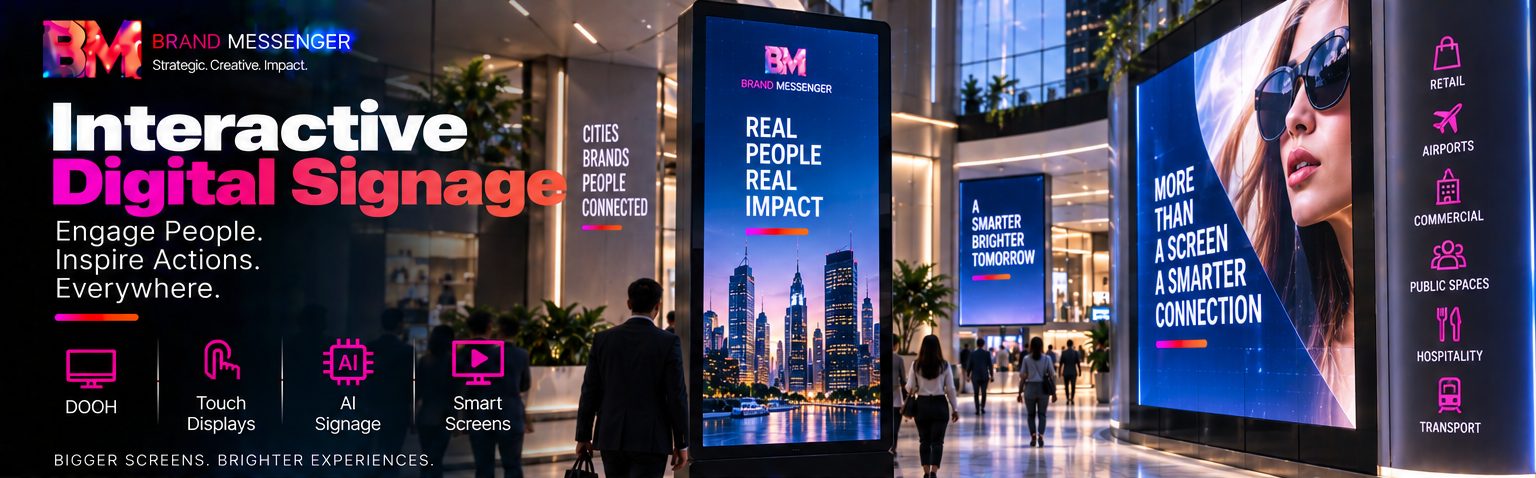
Interactive Digital Signage
Turn Screens into Intelligent Experiences. Connect Content, Audiences, Locations and Data in Real Time.
Digital signage is evolving from a network of screens displaying scheduled advertisements into a much more powerful interactive, connected and intelligent communication environment.
A screen in a shopping center can display campaign content according to location and time. A retail display can allow customers to explore products interactively. A corporate screen can communicate different information across offices. A digital billboard can become part of a wider DOOH campaign. An AI-enabled screen can adapt approved content according to contextual or aggregated audience signals. A smart display can connect with inventory, events, CRM, Digital Experience Platforms, analytics or other enterprise systems.
At Brand Messenger, our Interactive Digital Signage service brings together Digital Out-of-Home (DOOH), Touch Displays, AI Signage, Smart Screens, content management, interactive experiences, dynamic creative, audience intelligence, data integration, automation, analytics and experiential technology within one connected service.
Our four core capabilities are:
Digital Out-of-Home (DOOH)
Touch & Interactive Displays
AI Signage
Smart Screens
Our wider capabilities can extend across retail media, digital billboards, video walls, kiosks, wayfinding, menu boards, event screens, exhibition displays, corporate communications, transportation environments, hospitality, smart buildings, public information, programmatic DOOH, interactive advertising and intelligent screen networks.
The Brand Messenger approach connects:
Business Objective → Location → Audience → Screen → Content → Context → Interaction → Data → Intelligence → Measurement → Optimization
The objective is not simply:
Put Content on a Screen.
It is to create a screen network capable of becoming an intelligent digital touchpoint within the wider customer, advertising, marketing and physical experience ecosystem.
Connect the Screen. Understand the Context. Engage the Audience. Make Every Display More Intelligent.
What Is Interactive Digital Signage?
Interactive Digital Signage combines digital displays with content technology, connectivity, interaction, automation, data and—in appropriate applications—AI.
Traditional signage operates primarily as:
Content → Screen → Audience
Interactive and intelligent signage can evolve into:
Data + Context + Content → Smart Screen → Audience Interaction → Analytics → Optimization
Depending on the implementation, a digital signage environment may understand contextual information such as:
Location
Time
Weather
Inventory
Campaign
Event Schedule
Content Performance
Audience Traffic
Customer Interaction
and use that information to determine what approved content should be presented.
Brand Messenger Interactive Digital Signage Services
Our capabilities can include:
Interactive Digital Signage Strategy
Digital Signage Consulting
DOOH Strategy
Programmatic DOOH
Digital Billboard Campaigns
Retail Digital Signage
Retail Media Screens
In-Store Digital Displays
Touch Displays
Interactive Kiosks
Interactive Product Displays
Smart Screens
AI Signage
Dynamic Content Signage
Context-Aware Signage
Digital Menu Boards
Digital Wayfinding
Video Walls
LED Display Experiences
Event Digital Signage
Exhibition Screens
Conference Displays
Hospitality Signage
Transportation Signage
Corporate Digital Signage
Smart Building Displays
Public Information Screens
Interactive Advertising
Product Discovery Screens
Self-Service Experiences
QR-Connected Signage
Mobile-to-Screen Experiences
Digital Signage Content Strategy
Digital Signage Content Production
Dynamic Creative
2D & 3D Animation
Motion Graphics
Real-Time Data Integration
API Integration
IoT Integration
CRM / CDP Integration where appropriate
DXP Integration
AI Marketing Intelligence Integration
Face Signatures Integration where appropriate
Audience Analytics
Screen Performance Analytics
Signage Network Management Strategy
Enterprise Signage Architecture
Campaign Measurement & Optimization
Digital Out-of-Home - DOOH
Take Advertising into the Connected Physical World
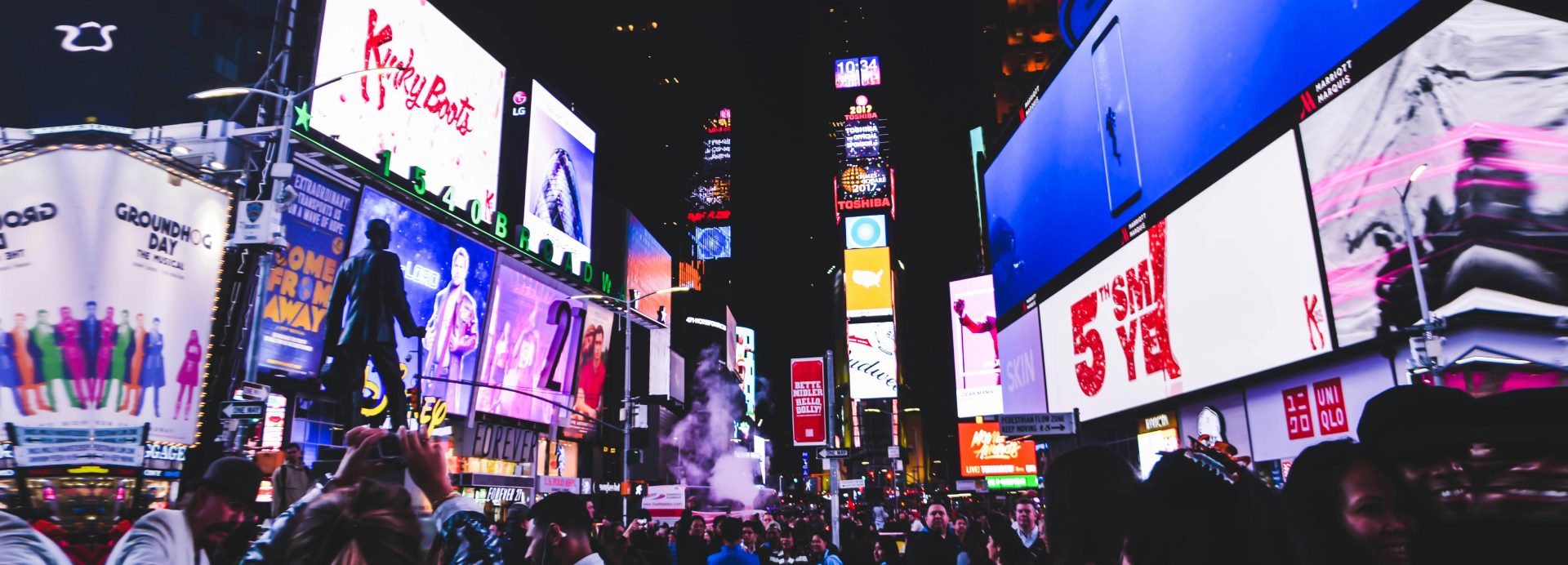
Digital Out-of-Home advertising uses digital displays located in public, commercial and high-traffic environments.
Potential environments include:
Roads
City Centers
Shopping Centers
Airports
Railway Stations
Metro Systems
Bus Stations
Retail Locations
Office Buildings
Hotels
Entertainment Venues
Stadiums
Universities
Healthcare Facilities
Events
Unlike conventional static outdoor advertising, DOOH can allow creative content to change digitally according to campaign schedules and supported contextual signals.
The model becomes:
Brand → Campaign → Audience → Location → Digital Screen → Exposure → Response → Measurement
DOOH Campaign Strategy
Brand Messenger can develop DOOH strategies around:
Audience: Who are we trying to reach?
Location
Where is that audience likely to be?
Context
When and under what circumstances should the message appear?
Creative
What can be understood quickly in that environment?
Technology
How will the content be delivered and scheduled?
Measurement
How will campaign performance be evaluated?
This turns DOOH from screen placement into a location-based advertising strategy.
Programmatic DOOH
Connect Automated Media Buying with Digital Outdoor Inventory
Where supported by available media owners, exchanges and technology platforms, Programmatic DOOH (pDOOH) can bring automated advertising technology into digital outdoor media.
The workflow can become:
Campaign Objective → Audience / Location Strategy → DSP → Eligible DOOH Inventory → Bid / Buying Decision → Screen → Measurement
This connects directly with Brand Messenger's wider Programmatic Advertising capabilities.
Potential campaign parameters may include:
Geography
Venue Type
Time
Daypart
Weather
Events
Contextual Conditions
Audience Models where appropriately supported
Actual targeting and measurement capabilities depend on the inventory provider, platform, market and available data.
Dynamic DOOH
DOOH creative can change according to appropriate contextual information.
For example:
Morning
Breakfast / Commute Message
Afternoon
Product / Shopping Message
Evening
Entertainment / Dining Message
or:
Weather Condition → Relevant Creative
Event Schedule → Relevant Campaign
Location → Localized Message
The screen becomes more contextually responsive.
Location-Based DOOH
Location is one of DOOH's most important dimensions.
Brand Messenger can plan campaigns around:
City
District
Road
Shopping Center
Airport
Retail Area
Business District
Event Venue
Transport Hub
The strategy becomes:
Right Audience + Right Environment + Right Time + Right Creative
Digital Billboards
Large-format digital billboards can support:
Brand Campaigns
Product Launches
Entertainment
Automotive
Retail
Tourism
Corporate Communications
Public Campaigns
Brand Messenger can develop content specifically for large-format environments rather than simply resizing conventional social or web advertisements.
3D DOOH Creative
Make the Screen Appear to Break Its Own Boundaries
Selected digital billboard environments can support perspective-based 3D visual illusions.
Brand Messenger can develop creative concepts where products or objects appear to:
Extend Beyond the Screen
Move Through Depth
Break Through the Display
Float
Transform
Interact with the Screen Environment
These experiences depend on the geometry, viewing position and technical specifications of the actual display.
DOOH + Brand Messenger AdTech
Interactive Digital Signage can connect directly with our wider AdTech ecosystem:
Audience Strategy → Programmatic Advertising → DOOH Inventory → Dynamic Creative → Campaign Delivery → Measurement → Optimization
This enables Brand Messenger to consider outdoor digital media as part of a broader advertising technology strategy.
Touch Displays
Turn the Screen from Media into an Interface
A conventional screen communicates.
A touch-enabled screen allows the customer to explore, select, search, compare and interact.
Potential applications include:
Product Discovery
Product Catalogues
Store Directories
Wayfinding
Information
Registration
Customer Service
Self-Service
Surveys
Event Experiences
Exhibitions
The journey becomes:
See → Touch → Explore → Discover → Select → Act
Interactive Product Displays
Retailers and brands can use touch displays to provide deeper product experiences.
Customers may explore:
Product Features
Product Variations
Images
Video
3D Models
Specifications
Comparisons
Availability
Related Products
This can transform a physical display into an expanded digital product catalogue.
Interactive Product Comparison
Customers may be able to select:
Product A
versus
Product B
and compare appropriate:
Features
Options
Models
Pricing
Availability
where connected product information is available.
This can support more informed purchase decisions.
Interactive Kiosks
Brand Messenger can develop kiosk experience concepts for:
Retail
Hospitality
Events
Healthcare
Corporate Environments
Transportation
Education
Public Services
Potential capabilities can include:
Information
Search
Registration
Booking
Product Discovery
Customer Assistance
Wayfinding
Feedback
Self-Service Digital Experiences
Touchscreens can provide self-service for appropriate tasks such as:
Check-In
Registration
Product Search
Booking
Order Selection
Information Retrieval
Ticketing
Customer Requests
The objective should be:
Self-Service When Convenient → Human Assistance When Needed
rather than forcing customers into self-service when human support would be more appropriate.
Digital Wayfinding
Help People Navigate Complex Physical Environments
Interactive screens can help visitors navigate:
Shopping Centers
Airports
Hospitals
Universities
Corporate Campuses
Hotels
Exhibitions
Large Events
Public Buildings
The experience can become:
Current Location → Destination → Route → Directions
Wayfinding can also connect with mobile or QR experiences where appropriate.
Interactive Store Directories
Shopping centers and multi-location environments can provide searchable directories containing:
Stores
Categories
Restaurants
Services
Facilities
Promotions
Events
The directory becomes an interactive customer-experience platform.
Digital Menu Boards
Restaurants, cafés, food courts and hospitality environments can use connected digital menu systems.
Potential capabilities can include:
Menu Content
Pricing
Promotions
Daypart Content
Product Availability
Campaign Creative
Nutritional or required information where applicable
The experience can be centrally managed across multiple locations where appropriate infrastructure exists.
AI Signage
Move from Scheduled Content Toward Intelligent Content Decisions
AI Signage can use artificial intelligence to support how content is selected, managed, analyzed or optimized.
Potential applications can include:
Contextual Content Selection
Content Recommendations
Audience Pattern Analysis
Traffic-Based Content Decisions
Performance Optimization
Predictive Scheduling
Content Generation Assistance
Anomaly Detection
Operational Intelligence
The model can become:
Context + Approved Content + Data → AI Analysis → Content Decision → Screen → Response → Learning
AI should operate within defined business rules and approved content environments.
Context-Aware Signage
Digital signage can adapt according to appropriate contextual signals.
These may include:
Time
Day
Location
Weather
Event
Inventory
Traffic
Campaign
Venue Conditions
For example:
Rain → Relevant Product / Service Message
High Event Traffic → Event Navigation
Product Unavailable → Alternative Approved Content
This makes signage more responsive without requiring individual identification.
Audience-Aware Signage
Understand the Environment Without Necessarily Identifying the Individual
Where appropriate technologies and lawful data practices are used, aggregated audience signals may help organizations understand:
Visitor Traffic
Audience Flow
Dwell Patterns
Screen Engagement
Peak Periods
Zone Activity
These signals can support content and placement decisions.
For many applications, aggregated audience intelligence is sufficient and preferable to identifying individual people.
Face Signatures + AI Signage
For suitable deployments, Brand Messenger can connect interactive signage with appropriate technologies from Face Signatures by Messenger2050 Technologies.
Face Signatures can provide an additional physical-space intelligence layer for relevant use cases.
Potential appropriate signals can include:
Visitor Traffic
People Analytics
Movement Patterns
Crowd Activity
Return-Visit Trends
Time-Based Activity
Engagement Areas
The architecture can become:
Physical Environment → Appropriate Visual / Sensor Sources → Face Signatures Intelligence → Aggregated Audience / Behavioral Signals → Brand Messenger AI Signage → Approved Content Decision → Smart Screen → Performance Analytics
Face Signatures is not required for Interactive Digital Signage. It is an optional intelligence integration for appropriate environments.
Biometric, identity, demographic inference or other sensitive capabilities require careful legal, privacy, security, consent or authorization, proportionality and governance assessment.
Smart Screens
Connect the Display with the Wider Digital Ecosystem
A Smart Screen is not simply a television connected to the internet.
Within the Brand Messenger architecture, a Smart Screen can become a connected digital touchpoint capable of receiving:
Content
Campaigns
Business Data
Product Information
Event Information
Customer Interaction
Contextual Signals
and connecting those interactions with wider enterprise systems.
The architecture becomes:
Enterprise Systems → Content / Data → Smart Screen → Audience → Interaction → Analytics
Connected Screen Networks
Organizations may operate screens across:
Multiple Stores
Multiple Offices
Multiple Cities
Multiple Countries
Multiple Venues
Brand Messenger can help establish a centralized digital-signage strategy around:
Central Management + Local Relevance: The organization can maintain brand consistency while allowing appropriate content variation by location.
Multi-Location Signage
A retail group could manage:
National Campaign
Regional Content
Store-Specific Promotions
The hierarchy becomes:
Global / National → Regional → Local
This can help large organizations scale digital communication without treating every screen independently.
Multi-Brand Signage Networks
Organizations managing multiple brands can establish shared infrastructure while maintaining separate brand experiences.
The model becomes:
Shared Technology Infrastructure → Brand A Content
Brand B Content
Brand C Content
This can connect with Brand Messenger's Brand Architecture capabilities.
Dynamic Content Management
Deliver the Right Approved Content to the Right Screens
Digital signage content can be managed according to:
Location
Screen
Campaign
Time
Audience Context
Product
Event
Business Rule
The content lifecycle becomes:
Plan → Create → Approve → Schedule → Distribute → Display → Measure → Optimize
Digital Signage Content Management
Brand Messenger can help establish workflows for:
Content Creation
Content Approval
Campaign Scheduling
Screen Assignment
Content Updates
Expiration
Version Control
Localization
Performance Review
This is particularly important for large enterprise screen networks.
Real-Time Content Updates
Where supported by the connected signage infrastructure, approved content can be updated centrally without manually visiting every screen.
This can be valuable for:
Retail Promotions
Event Schedules
Product Information
Corporate Communication
Public Information
Menu Updates
The exact update frequency depends on the signage platform, connectivity and integrations.
Data-Driven Signage
Turn Business Data into Dynamic Screen Content
Digital signage can connect with business information through APIs and other integrations.
For example:
Inventory System → Product Availability → Screen
Event Platform → Session Schedule → Event Display
Weather Data → Context → Approved Creative
Product Database → Product Information → Interactive Display
The screen becomes connected with the wider digital enterprise.
Inventory-Aware Signage
Retail screens can potentially connect with product availability.
For example:
Product Available → Promotional Creative
Product Unavailable → Alternative Product / Message
This can reduce the risk of promoting unavailable inventory when the underlying systems provide sufficiently current information.
Price & Promotion Integration
Where appropriate and technically supported, connected screens can receive:
Product Prices
Offers
Promotion Dates
Product Details
from approved business systems.
Governance remains important to prevent incorrect pricing or expired promotions from being displayed.
Event-Aware Signage
Event displays can dynamically present:
Sessions
Speakers
Rooms
Directions
Sponsors
Announcements
Schedule Changes
This can connect directly with Brand Messenger's Event & Experiential Marketing capabilities.
Event Digital Signage
Connect the Entire Venue Through Screens
Brand Messenger can develop digital signage experiences for:
Conferences
Exhibitions
Awards
Festivals
Product Launches
Corporate Events
Trade Shows
Screens can support:
Welcome → Registration → Navigation → Agenda → Sessions → Sponsors → Social Content → Closing
The signage network becomes part of the complete event experience.
Exhibition Smart Screens
Exhibition booths can use smart displays for:
Product Demonstrations
Interactive Catalogues
Lead Generation
3D Product Visualization
Video
Technical Information
Customer Assistance
This can help exhibitors communicate much more information without increasing physical booth size.
Touch Displays + CRM
An exhibition visitor might interact with a screen and request more information.
The journey can become:
Screen → Product Interest → Lead Form → CRM → Sales Follow-Up
This connects interactive display technology with measurable B2B marketing.
Retail Digital Signage
Connect Content, Products, Customers and the Store
Retail is one of the most powerful environments for interactive signage.
Potential applications include:
Storefront Displays
Digital Window Displays
Product Displays
Video Walls
Menu Boards
Touchscreens
Product Discovery
Promotions
Wayfinding
Checkout Content
The store becomes:
Physical Retail + Digital Content + Customer Interaction + Intelligence
Retail Media Networks
Retailers increasingly have opportunities to use owned digital environments as advertising and media inventory.
A retail screen network can potentially support:
Retailer Campaigns
Product Promotions
Brand Advertising
Supplier Campaigns
Sponsored Placement
Brand Messenger can help structure the creative, advertising, technology and measurement strategy around these networks.
In-Store Media
In-store screens can become part of the customer journey:
Entrance → Category → Product → Promotion → Checkout
Different screens can serve different communication objectives rather than repeating the same content throughout the store.
Digital Window Displays
Storefront displays can attract audiences before they enter.
Content can include:
Brand Campaigns
Products
Seasonal Creative
Launches
3D Animation
Promotions
The window becomes an always-changeable digital brand surface.
Interactive Retail Displays
Customers can use displays to:
Discover → Compare → Configure → Learn → Buy / Request Assistance
This can connect physical retail with e-commerce and customer-service systems.
Smart Screens + E-Commerce
Interactive displays can extend product selection beyond the inventory physically present in the store.
The journey can become:
Physical Store → Smart Screen → Digital Catalogue → Product → Commerce
This creates an endless-aisle type experience where technically and operationally supported.
Smart Screens + Conversational AI
Let Customers Ask the Screen
Brand Messenger can combine Smart Screens with our Conversational AI Experiences capabilities.
Instead of only navigating menus, customers may be able to ask:
“Where can I find this product?”
“Which model is suitable for me?”
“What time does this session start?”
The architecture becomes:
Customer → Smart Screen → Conversational AI → Approved Knowledge / Business System → Response
Depending on the environment, interaction may be through touch, text, voice or other supported interfaces.
AI Customer Assistants on Smart Screens
Interactive screens can potentially host AI assistants for:
Retail
Events
Hotels
Corporate Lobbies
Exhibitions
Experience Centers
The assistant can help customers:
Navigate
Discover
Compare
Learn
Find Information
Request Human Assistance
AI responses should be grounded in approved knowledge and connected systems where accuracy matters.
Human Handoff from Smart Screens
Automation should not trap the customer.
Where appropriate, an interactive screen can provide:
AI Assistance → Customer Still Needs Help → Human Assistance
This may connect with:
Customer Service
Sales Staff
Helpdesk
Appointment Booking
Smart Screens + Digital Experience Platforms
Interactive signage can become another channel within a Digital Experience Platform (DXP).
The architecture can become:
Website + App + Customer Portal + Smart Screen → DXP → Unified Content & Experience
This allows content and experience strategies to extend from personal devices into physical spaces.
DXP Content + Smart Screens
A DXP can potentially distribute appropriate content across:
Website
App
Portal
Interactive Kiosk
Smart Display
The model becomes:
Content Once → Adapt → Deliver Across Multiple Experiences
Content still needs to be designed for the unique context of each screen.
Smart Screens + Customer Journey Orchestration
A physical screen can become one stage of a wider journey.
For example:
Advertisement → Store → Interactive Screen → Product → QR → Mobile → Purchase
or:
Event Registration → Venue Screen → Session → Interactive Booth → CRM → Follow-Up
The screen becomes part of an omnichannel journey.
Smart Screens + Mobile
Connect Public Screens with Personal Devices
A customer may begin an experience on a shared screen and continue on their phone.
Potential mechanisms can include:
QR Codes
Short Links
App Integration
Account-Based Continuation where appropriate
The journey becomes:
Public Screen → Personal Device → Digital Experience → Conversion
This reduces the need to complete every action on a public display.
QR-Connected Signage
QR codes can provide a simple bridge from signage to:
Product Pages
Offers
Event Information
Registration
E-Commerce
Customer Portals
Campaign Experiences
AR Experiences
The screen attracts attention; the mobile device continues the interaction.
Smart Screens + Extended Reality
Brand Messenger can connect digital signage with AR, VR, MR and XR Campaigns.
For example:
DOOH Screen → QR → AR Experience
or:
Interactive Screen → XR Product Experience
This allows conventional signage to become an entry point into immersive experiences.
Smart Screens + Holographic & Projection Experiences
Interactive Digital Signage can also form part of larger physical experiences incorporating:
Projection Mapping
Holographic Displays
Interactive Projection
3D Projection Shows
The architecture can become:
Screen Network + Projection + Interactive Installation + XR → Unified Spatial Experience
This can be particularly powerful for exhibitions, events, flagship retail and corporate experience centers.
Smart Screens + Digital Twins
Make Digital Twin Intelligence Visible in the Physical Environment
Digital Twins can feed information into smart displays.
For example:
Manufacturing
Factory Digital Twin → Production Status → Operational Screen
Events
Event Digital Twin → Venue Activity → Command Display
Buildings
Building Digital Twin → Facility Information → Smart Screen
Smart Cities
City Digital Twin → Authorized Public / Operational Information → Appropriate Display
The screen becomes an interface into a connected physical-digital environment.
Manufacturing Smart Screens
Industrial screens can display appropriate:
Production Information
Equipment Status
Safety Information
Workflow
Quality Indicators
Alerts
These displays should complement—not replace—specialized industrial control and safety systems.
Corporate Digital Signage
Create a Connected Communication Environment Across the Enterprise
Corporate screens can support:
Internal Communications
Company News
Leadership Messages
KPI Displays
Employee Recognition
Safety Information
Event Information
Visitor Communication
Screens can be deployed across:
Lobbies
Offices
Meeting Areas
Campuses
Operations Centers
Executive Dashboard Displays
Authorized internal screens can present high-level business intelligence such as:
Performance
Sales
Marketing
Operations
Customer Experience
Access and visibility should reflect the sensitivity of the information.
Hospitality Digital Signage
Hotels and resorts can use smart signage for:
Welcome Experiences
Events
Wayfinding
Restaurants
Promotions
Guest Information
Conference Schedules
Property Experiences
This can connect with the wider hospitality customer journey.
Transportation Digital Signage
Transportation environments may use digital screens for:
Information
Wayfinding
Advertising
Service Updates
Public Communication
Advertising and operational information should remain appropriately separated where necessary.
Healthcare Digital Signage
Healthcare environments may use screens for:
Wayfinding
Public Information
Queue Information
Educational Content
Facility Communication
Patient or health information requires additional privacy and security considerations.
Education Digital Signage
Schools, colleges and universities can use screens for:
Campus Communication
Events
Wayfinding
Announcements
Student Information
Emergency Communication
Critical emergency systems should use appropriately designed and validated infrastructure rather than relying solely on general marketing-signage technology.
Public & Government Digital Signage
Government and public-sector organizations can use appropriate signage for:
Citizen Information
Public Services
Wayfinding
Government Facilities
Transport Information
Public Awareness
City Communication
For advanced government and smart-city environments, signage can also connect with suitable SAFE AI by Messenger2050 Technologies solutions.
SAFE AI + Smart Screens
For suitable smart-city and government deployments, SAFE AI can provide relevant operational or public-information intelligence that may be distributed to authorized displays.
The conceptual architecture can become:
City / Government Systems → SAFE AI → Approved Information → Smart Screen Network
Potential applications could include appropriate:
Traffic Information
Weather Information
Public-Service Information
Municipal Updates
Transport Information
Emergency Public Communication
The information presented publicly should be separated from sensitive operational intelligence.
Smart City Signage
Smart-city screens can become part of the wider urban digital infrastructure.
Potential roles include:
Wayfinding
Public Information
Transport
Tourism
City Events
Municipal Communication
Advertising
Emergency Messaging
The goal is to connect relevant information with the place and time where it is useful.
Emergency Digital Signage
Where integrated with properly authorized emergency systems, screens may support public communication during emergencies.
Priority content may override ordinary commercial content when appropriate.
Because emergency communication is high-impact, architecture should include appropriate redundancy, governance, authorization and testing.
Digital Signage Content Strategy
Design Content for the Environment not for a Desktop Screen
People often view digital signage while:
Walking
Driving
Shopping
Waiting
Talking
Navigating
Content must therefore consider:
Viewing Distance
Exposure Time
Screen Size
Audience Movement
Environment
Brightness
Message Complexity
The principle becomes:
See Quickly. Understand Immediately. Act Easily.
DOOH Creative Strategy
Outdoor creative often has only seconds to communicate.
Brand Messenger can develop content around:
Strong Visual Hierarchy
Simple Message
Brand Recognition
Product Focus
Context
Clear CTA where appropriate
Complex website copy should not simply be transferred onto a billboard.
Interactive Screen UX
Touch interfaces require a different design approach.
Brand Messenger can design:
Clear Navigation
Large Touch Targets
Simple Information Architecture
Fast Response
Short Journeys
Obvious Exit / Reset
Accessibility Considerations
The interface should account for the physical environment and public usage.
Digital Signage Motion Graphics
Brand Messenger can create screen-specific:
Motion Graphics
Product Animation
Brand Animation
Promotional Content
Information Graphics
Event Visuals
3D Animation
Content can be adapted according to screen dimensions and technical requirements.
3D Content for Smart Screens
3D content can create premium digital signage experiences for:
Products
Automotive
Technology
Luxury
Real Estate
Industrial Equipment
Entertainment
Selected displays may support perspective-based 3D illusion content designed around the specific installation.
AI-Assisted Signage Content
Brand Messenger's AI Content Generation capabilities can support selected signage-production workflows across:
Images
Video
Copy
Design
Creative Variations
The workflow becomes:
Campaign → AI-Assisted Creation → Human Creative Review → Brand Approval → Screen Delivery
Important customer-facing information such as prices, product specifications and public information should be grounded in approved data rather than generated freely by AI.
AI Creative Studio + Digital Signage
Our AI Creative Studio can help develop:
DOOH Campaign Concepts
Interactive Screen Concepts
3D Billboard Ideas
Retail Experience Concepts
Smart-Screen Creative Territories
The process becomes:
Strategy → Big Idea → Creative Exploration → Screen Experience → Production
Dynamic Creative Optimization for Screens
Different approved creative variations can be delivered according to relevant context.
The cycle can become:
Context → Creative Rule → Screen Content → Performance → Optimization
This connects digital signage with Brand Messenger's Dynamic Creative & Creative Optimization capabilities.
Digital Signage + CRM
For interactive environments, screens can connect with CRM when the customer intentionally provides information or begins a lead journey.
For example:
Exhibition Screen → Product Interest → Contact Request → CRM
or:
Retail Kiosk → Appointment → Customer System
This connects physical interaction with customer relationship management.
Digital Signage + CDP
Appropriate interaction signals may contribute to a broader customer or audience data environment where there is a lawful and technically suitable basis.
For many public-screen environments, aggregated interaction analytics may be more appropriate than individual-level customer tracking.
Digital Signage + Marketing Automation
A customer may intentionally continue a signage interaction digitally.
For example:
Interactive Screen → QR → Form → CRM → Marketing Automation → Follow-Up
This creates continuity between the physical experience and digital marketing.
Digital Signage + Omnichannel Marketing
Interactive screens can become another channel within the wider Brand Messenger omnichannel environment:
Email + SMS + WhatsApp + Web + App + Social + Smart Screens: Each channel serves a different context while contributing to a connected customer journey.
Digital Signage + AI Marketing Intelligence
Connect Physical-Space Engagement with Marketing Intelligence
Brand Messenger can connect appropriate signage data with our wider AI Marketing Intelligence capabilities.
Potential signals can include:
Screen Activity
Visitor Traffic
Interactions
Content Performance
Location
Campaign
Time
Conversion Signals
The cycle becomes:
Screen → Audience / Interaction → Data → AI Marketing Intelligence → Insight → Content / Campaign Optimization
Location Intelligence
Screen performance can be compared across:
Stores
Venues
Cities
Regions
Screen Types
This can help organizations understand:
Which Locations Perform Differently?
Which Content Performs Where?
When Does Engagement Change?
Location becomes part of the marketing intelligence model.
Digital Signage Analytics
Brand Messenger can structure analytics around:
Network
Screens • Locations • Availability
Content
Creative • Campaigns • Scheduling
Audience
Traffic • Contextual / Aggregated Signals where appropriate
Interaction
Touches • Searches • QR Actions • Product Views
Marketing
Leads • Campaign Response • Conversions
Business
Sales / Revenue where reliable integration allows
This creates a more complete view of signage performance.
Screen Performance Dashboard
A Brand Messenger dashboard can consolidate:
Screen Network: Which screens are operating?
Content
What is playing?
Campaign
Which campaigns are active?
Interaction
What are audiences doing?
Location
Where is activity occurring?
Performance
Which content and locations deserve attention?
DOOH Campaign Measurement
Depending on available media and measurement technologies, DOOH performance may be evaluated using combinations of:
Estimated Impressions
Location Traffic
Campaign Delivery
QR Activity
Digital Response
Website Activity
Store Activity
Conversion Studies
DOOH measurement varies by market and provider, and estimated exposure should not be represented as confirmed individual viewing.
Interactive Screen Measurement
Touch displays provide more direct interaction metrics.
Potential measurements include:
Sessions
Touches
Product Views
Searches
Navigation Paths
Experience Completion
QR Actions
Lead Forms
This can make interactive displays more measurable than passive signage alone.
AI Signage Optimization
AI can assist teams in identifying:
High-Performing Content
Low-Performing Content
Location Patterns
Time Patterns
Interaction Trends
Potential Scheduling Opportunities
Recommendations should remain subject to business rules and human oversight.
Digital Signage Network Architecture
A larger enterprise environment can conceptually include:
Content & Campaign Systems → Digital Signage CMS / Management Platform → Business Data + APIs + AI → Screen Network → DOOH • Smart Screens • Touch Displays • Kiosks • Video Walls → Audience / Customer Interaction → Analytics → Optimization
This creates a connected signage ecosystem.
APIs & Integrations
Brand Messenger can connect suitable signage systems with:
CRM
CDP
DXP
E-Commerce
Product Databases
Inventory
Event Platforms
Analytics
Business Intelligence
IoT
Digital Twins
The exact integration architecture depends on the selected signage technology and business requirements.
IoT + Smart Screens
IoT can contribute contextual information from physical environments.
For example:
Environmental Sensor → Context → Smart Screen
or:
Operational System → Status → Display
This can create more responsive physical environments.
Digital Twin + Smart Signage
A Digital Twin can represent the complete screen network spatially.
For example:
Shopping Center Digital Twin → Screen Locations → Content / Status / Engagement
or:
Event Digital Twin → Screens → Venue Information → Audience Flow
This can help operators understand screen performance within physical context.
Digital Signage Security
A Connected Screen Is Also a Connected Technology Endpoint
Enterprise signage architecture should consider:
Device Security
Network Security
Content Access
Administrator Permissions
Authentication
API Security
Software Updates
Monitoring
Logging
Organizations should prevent unauthorized parties from controlling or changing public-facing screens.
Content Approval & Governance
Large screen networks need clear publishing controls.
The workflow can become:
Create → Review → Approve → Schedule → Publish
Organizations can define:
Content Owners
Brand Approvers
Campaign Approvers
Local Permissions
Emergency Override Authority
Expiration Rules
This reduces the risk of outdated or unauthorized content appearing publicly.
Privacy-Aware Interactive Signage
Digital signage environments can potentially process information about interactions, location or audience activity.
Brand Messenger can structure appropriate deployments around:
Data Minimization
Purpose Limitation
Aggregated Analytics
Transparency
Consent where required
Controlled Access
Retention Controls
Security
The principle should be:
Use the Minimum Data Necessary to Create the Intended Experience.
Accessibility
Interactive signage should consider accessibility across:
Screen Height
Touch Interaction
Text Size
Contrast
Navigation
Audio
Alternative Interaction
Physical Reach
Requirements vary by environment and jurisdiction.
Digital Signage Reliability
Public-facing screens require operational reliability.
Enterprise planning can consider:
Device Monitoring
Connectivity
Content Caching
Remote Management
Failure Alerts
Backup Content
Maintenance
A black or malfunctioning screen creates both an operational and brand problem.
Screen Network Monitoring
Organizations can monitor:
Screen Online / Offline
Content Status
Player Status
Connectivity
Campaign Delivery
This helps manage large networks remotely.
Multi-Market Digital Signage
Global organizations can manage:
Global Brand Standards
Regional Campaigns
Local Content
A centralized system can help maintain consistency while allowing appropriate local flexibility.
Interactive Digital Signage for B2B
B2B environments can use interactive screens for:
Product Demonstrations
Technical Information
Industrial Visualization
Trade Shows
Experience Centers
Sales Presentations
This can help explain complex products in a more visual and interactive format.
Interactive Digital Signage for Real Estate
Applications can include:
Property Discovery
Interactive Masterplans
Unit Selection
3D Property Visualization
Development Information
Virtual Tours
This can connect with architectural visualization and XR.
Interactive Digital Signage for Automotive
Automotive environments can use smart displays for:
Vehicle Discovery
Configuration
Features
Comparison
3D Visualization
Booking Test Drives
The showroom becomes a connected physical-digital customer experience.
Interactive Digital Signage for Entertainment
Entertainment environments can use:
Digital Posters
Interactive Content
Event Information
Film / Show Discovery
Fan Experiences
Promotional Displays
This can connect signage with entertainment marketing and experiential campaigns.
Interactive Digital Signage for Tourism
Tourism environments can use smart displays for:
Destination Discovery
Maps
Attractions
Hotels
Events
Transport
Interactive Guides
These can be deployed at airports, hotels, visitor centers and attractions.
Interactive Digital Signage for Experience Centers
Enterprise experience centers can combine:
Smart Screens + Touch Displays + Video Walls + Projection Mapping + Holographic Experiences + XR + Digital Twins + Conversational AI
This can create a complete interactive environment for:
Customers
Investors
Partners
Employees
Government Stakeholders
From Digital Signage to Intelligent Physical Experience
Brand Messenger can help organizations evolve signage progressively.
Stage 01 — Digital Screen
Scheduled Content
↓
Stage 02 — Connected Signage
Centralized Content Management → Stage 03 — Interactive Signage
Touch • QR • Customer Interaction → Stage 04 — Context-Aware Signage
Location • Time • Data • Business Rules → Stage 05 — AI Signage
Intelligence • Recommendations • Optimization → Stage 06 — Connected Experience Environment
Signage + DXP + CRM + AI + Digital Twins + XR + Analytics
This is the longer-term opportunity.
The screen stops being an isolated display.
It becomes part of the organization's digital experience infrastructure.
Complete Brand Messenger Interactive Digital Signage Process
A Brand Messenger engagement can be structured as:
Business / Campaign Objective → Audience → Location & Environment → Screen Network Assessment → DOOH / Touch / AI / Smart Screen Strategy → Customer Journey → Content Strategy → Creative Concept → UX / Interaction Design → Technology Architecture → Content Management Architecture → Enterprise System Integration → AI / Audience Intelligence Where Appropriate → Content Production → Screen Deployment Coordination → Testing → Security & Privacy Review → Campaign / Experience Launch → Analytics → Optimization → Continuous Content & Experience Management
The complete lifecycle becomes:
Plan → Connect → Create → Display → Interact → Understand → Optimize → Scale
Across the Brand Messenger Interactive Experience Ecosystem
Interactive Digital Signage can connect multiple Brand Messenger capabilities:
Brand Strategy
Define the Message → AI Creative Studio
Develop the Creative Concept → AI Content Generation + Animation
Produce the Content → DOOH + Smart Screens
Deliver the Experience → Touch + Conversational AI
Create Interaction → XR + Holographic & Projection Experiences
Extend the Physical Experience → DXP + CRM + CDP
Connect the Customer Journey → Face Signatures / Appropriate Physical-Space Intelligence
Understand Aggregated Audience Activity Where Suitable → AI Marketing Intelligence
Analyze Engagement → AdTech + MarTech
Activate and Continue the Campaign → Analytics & BI
Measure Performance
The complete ecosystem becomes:
Brand → Content → Screen → Context → Audience → Interaction → Data → Intelligence → Action → Growth
Industries & Environments We Serve
Brand Messenger Interactive Digital Signage can support appropriate applications across:
Retail
Shopping Centers
Supermarkets
Restaurants
Hospitality
Hotels & Resorts
Automotive
Real Estate
Corporate Offices
Experience Centers
Events
Exhibitions
Conferences
Entertainment
Cinemas
Stadiums
Airports
Transportation
Tourism
Healthcare
Education
Manufacturing
Industrial Facilities
Financial Services
Telecommunications
Government
Public-Sector Facilities
Smart Cities
Public Spaces
Multi-Location Enterprises
Benefits of Interactive Digital Signage
Brand Messenger can help organizations:
Turn screens into connected digital touchpoints
Build DOOH advertising campaigns
Develop programmatic DOOH strategies
Create interactive customer experiences
Deploy touch-based product discovery
Build intelligent kiosks
Create smart-screen networks
Introduce context-aware content
Integrate AI into signage operations
Connect physical screens with digital customer journeys
Create dynamic retail experiences
Build retail media networks
Improve event communication
Connect signage with CRM and DXP
Extend screens into XR experiences
Connect Digital Twins with physical displays
Integrate appropriate audience intelligence
Measure interactive engagement
Manage content centrally
Personalize content by appropriate context
Scale screen networks across locations
Improve enterprise signage governance
Turn physical locations into measurable digital experience environments
Why Choose Brand Messenger?
Brand Messenger combines DOOH, Programmatic Advertising, Touch Displays, AI Signage, Smart Screens, Retail Media, Interactive Experiences, Dynamic Creative, Conversational AI, Digital Experience Platforms, Digital Twins, Extended Reality, Holographic & Projection Experiences, AI Creative Studio, AI Content Generation, Customer Intelligence, AdTech, MarTech, CRM, CDP, Analytics and Business Intelligence within one connected ecosystem.
Through the wider Messenger2050 Technologies ecosystem, suitable projects can also connect with technologies such as Face Signatures and, for appropriate government and smart-city environments, SAFE AI.
We do not approach digital signage simply as:
Upload Video → Schedule Content → Play on Screen
We approach it as:
Business Objective → Audience → Location → Screen → Content → Context → Interaction → Customer Journey → Data → Intelligence → Measurement → Optimization
The distinction matters.
DOOH turns digital screens into scalable advertising media.
Touch Displays turn screens into customer interfaces.
AI Signage introduces intelligence into content and experience decisions.
Smart Screens connect physical displays with the wider enterprise technology ecosystem.
And when those capabilities connect with programmatic advertising, CRM, DXP, Conversational AI, Digital Twins, XR, physical-space intelligence and marketing analytics, digital signage can evolve from a communication channel into an intelligent part of the customer experience.
A billboard can become dynamic media.
A retail display can become a product-discovery platform.
A kiosk can become a customer-service interface.
An exhibition screen can become a lead-generation experience.
An event screen can become part of a connected venue.
A smart-city screen can become an appropriate public-information touchpoint.
A network of screens can become a measurable enterprise communication platform.
The result is not simply Digital Signage.
It is an Interactive Digital Signage ecosystem connecting screens, content, customers, physical locations, advertising technology, enterprise systems, AI and intelligence.
Turn Every Screen into an Experience. Connect Every Location. Make Content More Relevant. Make the Physical World More Digital.
DOOH. Touch Displays. AI Signage. Smart Screens. One Connected Intelligent Screen Ecosystem.